How to Apply Reseller Credit
Merchants
September 15, 2020
Home
»
How to Apply Reseller Credit
Search
The purpose of this article is to guide user on how to to apply credit on account and/or invoices.
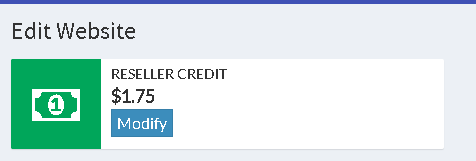
Credits are issued and can be used to pay existing invoices within the website. These are based on a certain percentage of a customer invoice.
Credits are applied to open invoices before payment is attempted on other payment methods stored on file (e.g. Credit Card, ACH).
The amount is transacted from the oldest open invoice first, and the credit balance applied to each subsequent invoice in chronological order.
Workflow
1. a. Credit applied as an Account Credit.
This credit is not yet applied to any invoice. This will be applied to the next invoice to be generated.
b. Credit applied in an Invoice
This credit has been applied to an existing invoice as a Discount.
2. Send email to reseller agent. Template is available in @internal.
Details like the reference ID, related invoice and related amount is included.
3. Add new credit to
proofsupport.com/fac
Updated on August 4, 2026
Tagged:
account credits
,
invoice credits
,
Reseller
Share this post
Facebook
LinkedIn
Twitter
Email
Prev
Previous
Enable ACH for customers
Next
Invoice for all refunds setting
Next
Related Articles
Accessorial Summary Details Report
Account issue request form
Account Status: Contract Terminated
Add additional accounts to UPS® Online Billing Center
Add or remove AutoPay
Add recipients on billing and reporting notifications
Add, update or remove the credit card on file
Need support?
Can't find the answer you're looking for?
Contact Support →
Get your refunds
Government, large enterprises and small businesses use Bear Down Parcel.
Get started FREE →
START →
DASHBOARD →
Audit and Recovery
Real time
Free instant audit
Carrier agreement optimization
Evaluate agreements to the penny
Carrier agreement compliance
Check every discount
Carrier payment remittance
Consolidate freight invoices
Data transfer service
Secure transfer orders, reports
General ledger coding
New
Accounts payable ♡'s this!
Lost and damage claims
Automate the entire workflow
Proof of Delivery
All carriers. One location.
Transportation insights
Real-time business insights
Tap to start
product tour
Global ID
First Name
Last Name
Email
Company
Acceptance
I agree to Bear Down Parcel
Terms and Conditions
and
Privacy Policy.
SCHEDULE A DEMO
Products
Award-winning tech
Get Demo
5-minute product tour
Create Workspace
Start here
Try for free
Dashboard
Log in
Returning user
White-label program
Partner
3PL's ♡ this
Customer support
Quick answers